

Describe an idea
Write in PROMPT as you would describe the song to someone. Include a story or mood, and any musical choices you already know. For example: “A late-night synth pop song about missing the last train home. Airy vocals in English, 90 seconds, around 110 BPM.” Ask for an instrumental if you want music without vocals. Name the vocal language if it matters to you. You can leave Prompt empty when you attach an image or record a clip.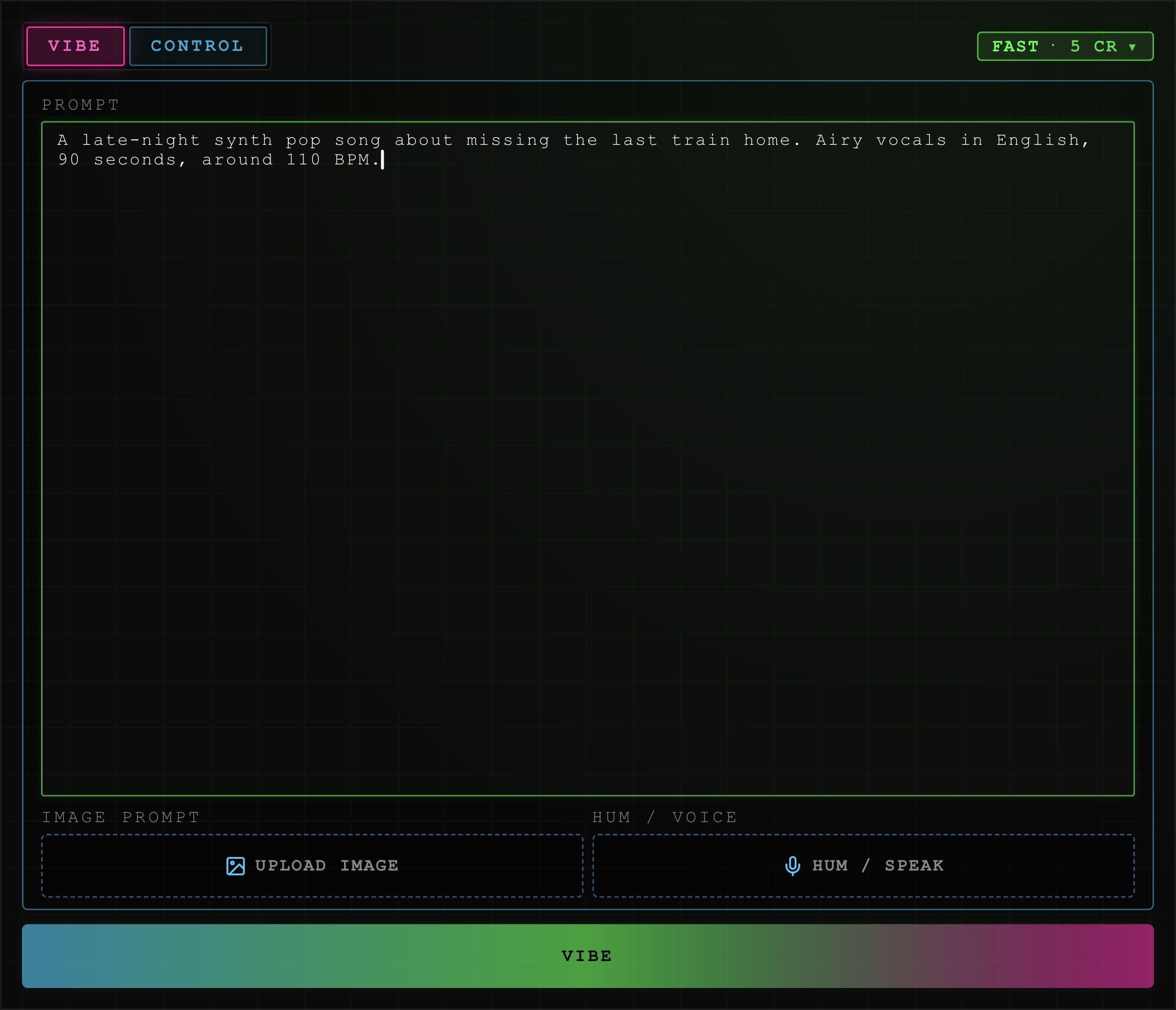
Vibe with an example brief. The lower Vibe button runs Songwriter.
Use an image
Select UPLOAD IMAGE under IMAGE PROMPT, or drop an image into that area. Add text to explain the story or sound you want from it. Select the image preview to replace it. Its × removes it. Songwriter uses the image’s mood and theme to shape the song and prepares separate cover artwork.Hum or speak
- Select HUM / SPEAK and allow microphone access.
- Hum a musical idea, sing a phrase, or say what you want the song to sound like.
- Select STOP when finished. Recording stops automatically at 30 seconds.
- Select the clip’s play icon to preview it. MIC records again; × clears it.
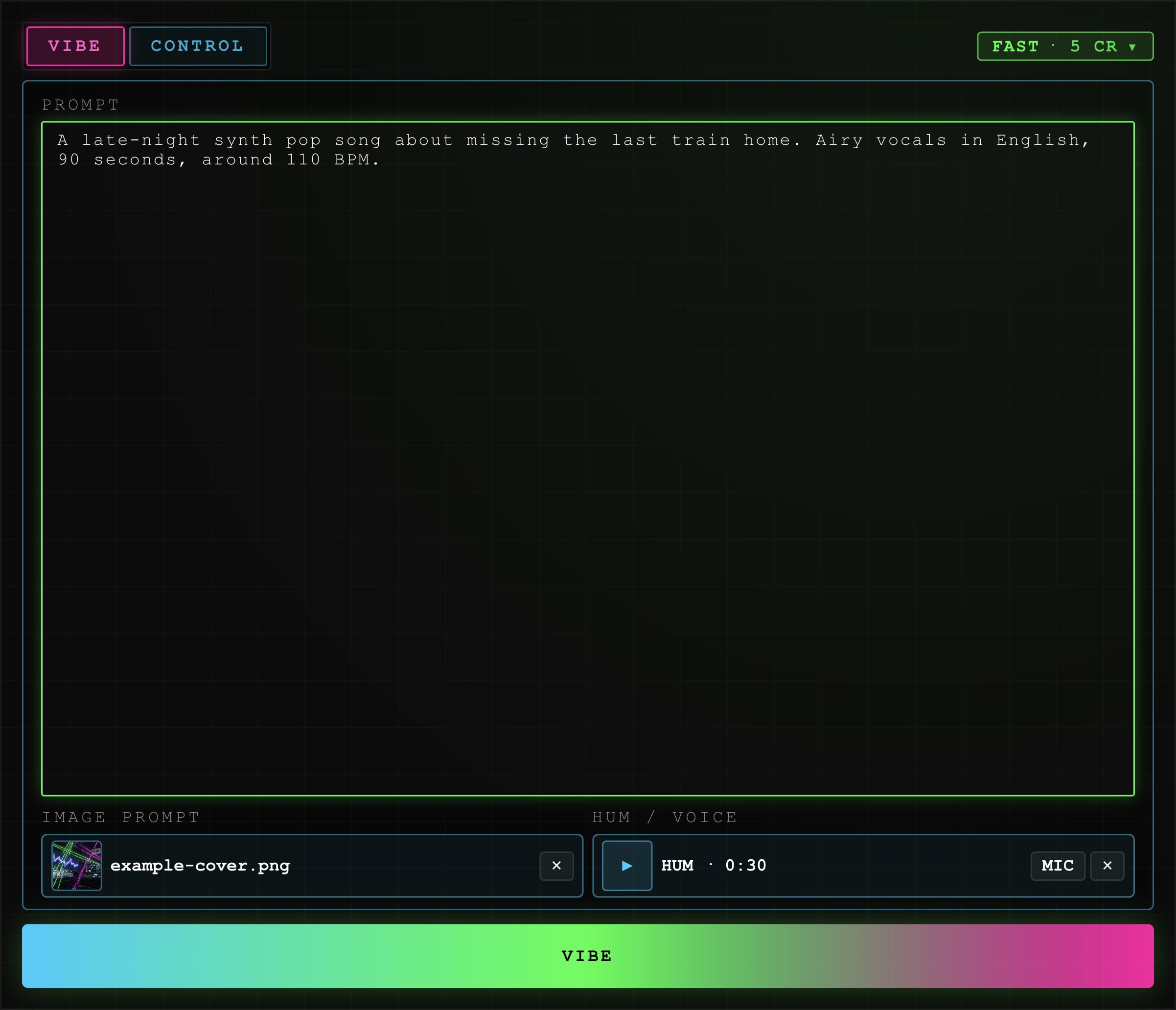
An example image and recording selected in the current Studio UI.
Run Songwriter and review
Select the lower VIBE button. You need a connected account, the signed disclaimer, and an active session. Check the Songwriter price before running it. Studio opens CONTROL and shows progress while fields arrive. Songwriter can write the title, production prompt, and tagged lyrics, choose vocals or instrumental, and set language, style tags, tempo, key, scale, and duration. It also prepares cover art.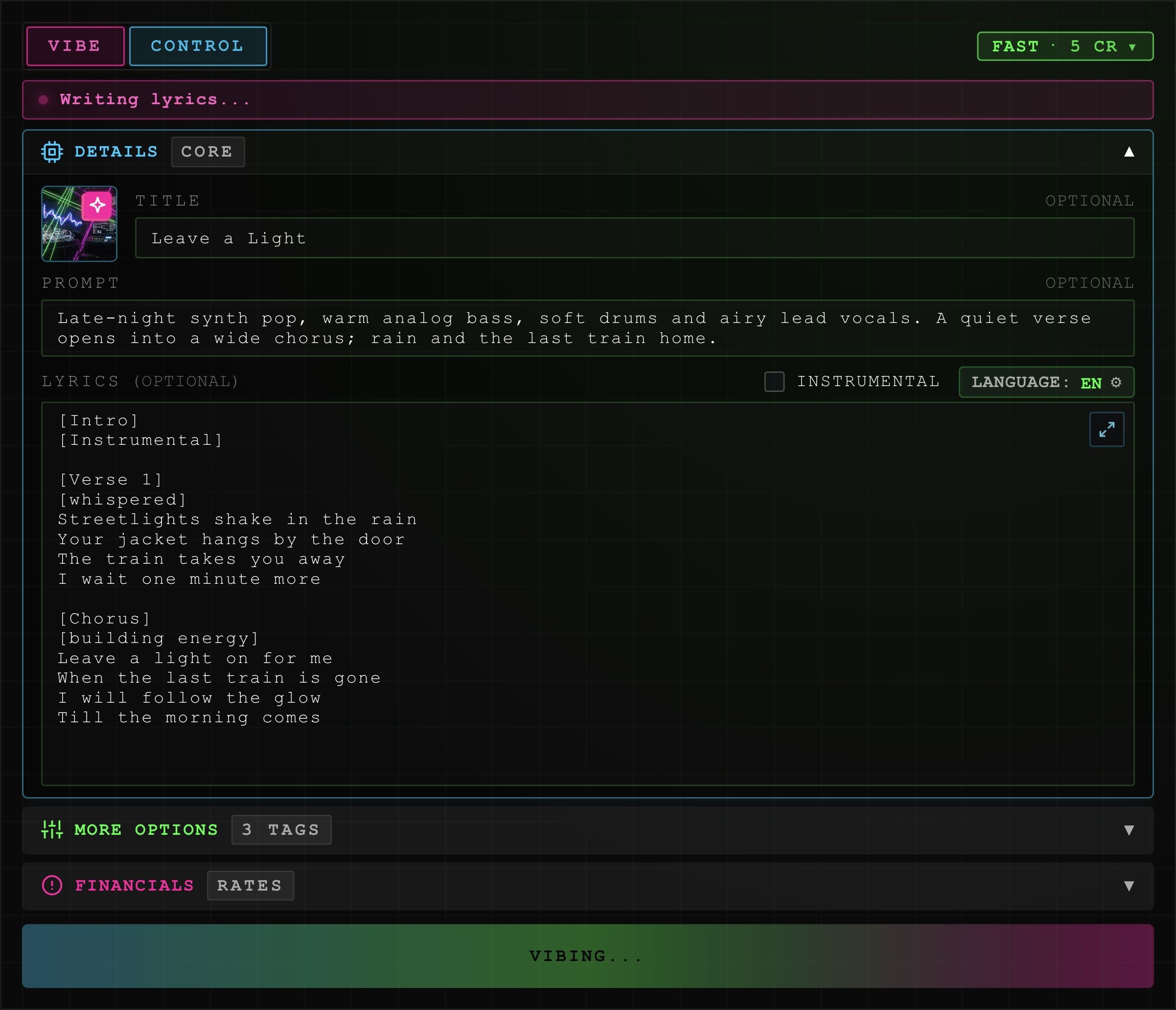
Example Songwriter progress in Control. Audio generation becomes available when the musical draft is ready.