

1
Choose audio
Drop one file into the importer or select the browse area. The panel lists WAV, MP3, FLAC, and OGG; playback depends on your browser’s audio support.To record a microphone, select RECORD VOICE, allow microphone access, then STOP when finished.
2
Preview or choose a slice
Use PREVIEW for the full recording. Choose SLICES: 2, 4, 8, or 16 to divide it equally, then select a slice to hear and choose it. Full-file Preview clears the slice selection.
3
Add the part
Select ADD TO WORKSTATION. This uploads the audio and adds the chosen slice, or the whole recording, as a new sample lane at the start of the timeline.
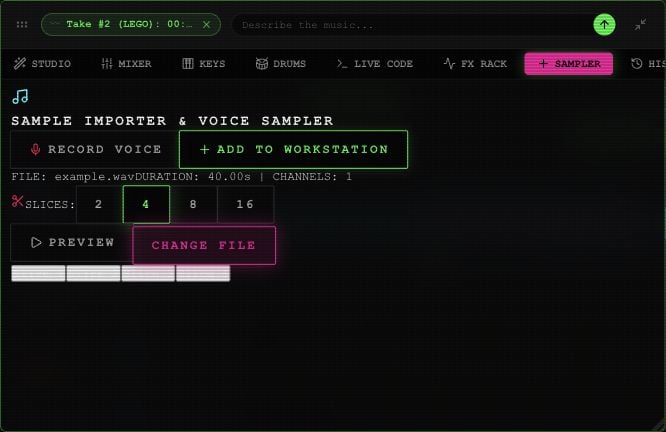
A local example file loaded into the Rawchunks Sampler.