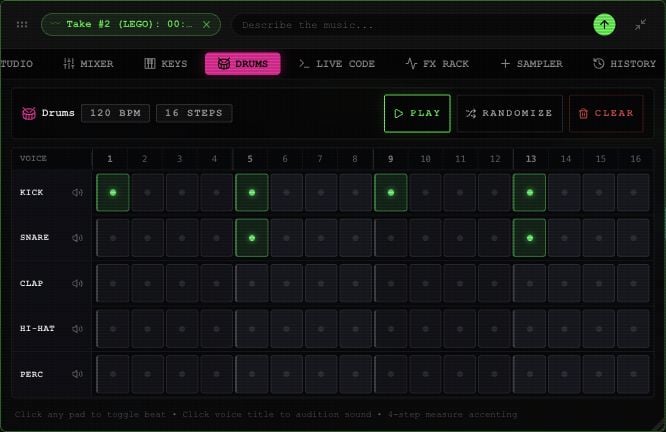
Open DRUMS in the toolbox. Select CREATE DRUM TRACK if you need one.
Drums sequencer with Kick, Snare, Clap, Hi-Hat and Perc rows and sixteen step pads.

Drums with an example beat in the Rawchunks editor.

  1. Select pads to add or remove hits in the KICK, SNARE, CLAP, HI-HAT, and PERC rows.
  2. Select a row’s name to preview that sound. Enabling a pad also previews it.
  3. Select PLAY to hear the one-bar pattern repeat with the arrangement.
  4. Use RANDOMIZE for a new random pattern or CLEAR to empty the grid.
STOP in this panel pauses playback. The board’s STOP also returns to the beginning. There is no drum-kit picker or per-step velocity control in the current panel. Use the lane fader and effects to change its overall balance. For tempo, see the editor’s BPM control.