Select CONNECT in the header. Choose a social login, email, passkey, guest account, or one of the offered external wallets, then follow that connection flow. When the disclaimer appears, read the acknowledgments and select Sign & accept to sign them. Generation requires this acknowledgment. You can reopen it from the account menu under Disclaimer & terms.

Choose a network

Open the network button beside SESSION. The picker currently offers Base, Solana, and their listed test networks: Base Sepolia, Solana Devnet, and Tempo Moderato. Available choices can change.
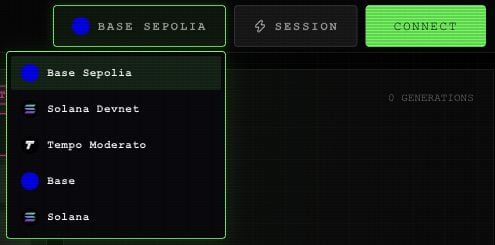
Network menu beside Session, listing Base Sepolia, Solana Devnet, Tempo Moderato, Base and Solana.

The app's network picker.

Use the song’s network when buying its license or publishing a remix. For service spending, check the balance on the network you select. An account’s combined balance display does not move money between networks. On Solana, an action may ask you to activate the account before it can continue. Follow the funding message shown in the app.

Set your artist profile

Open Edit Profile from the connected account menu, or select the pencil beside your name in MY-PAGE. Enter a nickname of up to 32 characters. Use PICK IMAGE to choose an avatar, then SAVE PROFILE. Use CANCEL to close without saving the profile fields. The account menu also offers your address, an explorer link, and Disconnect. Start a spending session when you’re ready to use paid services. On a phone, header controls use icons. The network button and lightning-shaped session button stay in the header.