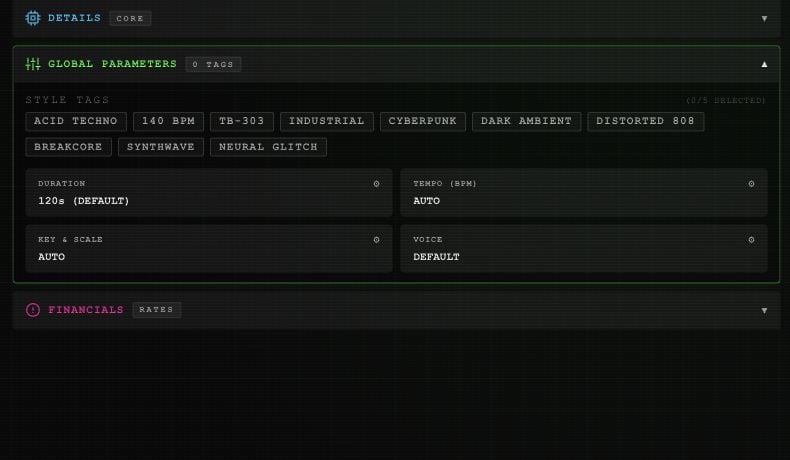
Choose up to five: ACID TECHNO, 140 BPM, TB-303, INDUSTRIAL, CYBERPUNK, DARK AMBIENT, DISTORTED 808, BREAKCORE, SYNTHWAVE, or NEURAL GLITCH. Select a tag again to remove it.These tags describe the sound. The 140 BPM tag does not set the separate tempo control.
DURATION offers 30, 60, 90, 120, 180, 240, or 300 seconds. The custom slider covers 15–300 seconds in five-second steps.The button shows 120s (DEFAULT) when unset. RESET TO DEFAULT clears your explicit target. Listen and check the completed track’s length; the label is not a promise of an exact output duration.
In KEY & SCALE, choose a root from C through B, including sharps, then major, minor, dorian, phrygian, or mixolydian. AUTO / CLEAR removes the target.Tempo, key, and scale guide generation. Check the audio before using it in a project that needs a precise match.
LANGUAGE is in DETAILS, beside LYRICS. Search by language name or code, select a result, then DONE. AUTO clears the language choice. The service supplies the available language list.VOICE is in Global Parameters. See custom voices for reference uploads, saved voices, and the resemblance control.
⌘I
Assistant
Responses are generated using AI and may contain mistakes.