

1
Choose what should guide it
Master is the starting reference. Use L on an ordinary lane to choose it as a Layer reference. Choosing an ordinary lane removes Master from the reference set; you can choose several lanes together.
2
Describe the new part
Open STUDIO → Layer. Under ADD AN INSTRUMENT, enter INSTRUMENT, then SOUND DESCRIPTION. Both are required.You can also supply Song description and Instrument groups (comma separated). Use these for context; keep the new part’s request in Sound Description.
3
Generate the layer
Layer currently uses Flexible processing. Select LAYER and wait for its take.
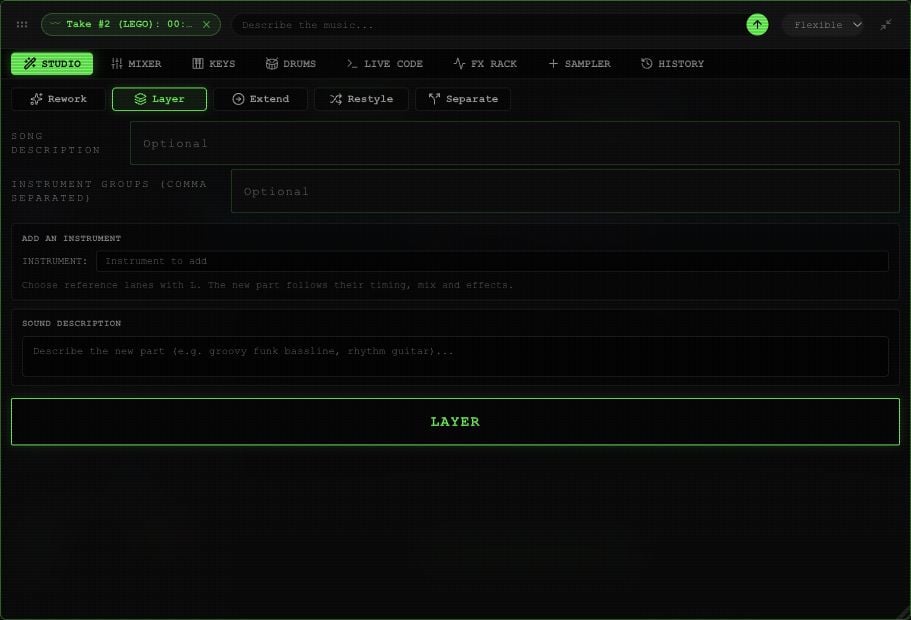
Layer controls in an example Rawchunks project.