

1
Describe the music
Open DETAILS and enter a PROMPT of at least three characters. Describe the style, rhythm, instruments, and atmosphere. For example: “Slow synthwave, warm bass, spacious drums, a late-night drive.”A title is optional. You can also select an album or cover.
2
Choose vocals or instrumental
Paste lyrics into LYRICS, or open the lyrics canvas. Select LANGUAGE to request a vocal language.Enable INSTRUMENTAL to request music without vocals. This disables the lyric and language controls. With lyrics left empty, the service chooses lyrics from your brief; listen to the result before relying on its language or vocal content.
3
Set the direction
Open GLOBAL PARAMETERS for style tags, duration, tempo, key and scale. Add a custom voice if needed. Leave settings at AUTO or their defaults when you don’t need a target.
4
Review and generate
Open FINANCIALS to review the song’s selling terms. Select GENERATE AUDIO, review the account and terms, then CONFIRM & GENERATE.You need a connected account, the signed disclaimer, and an active spending session for paid work.
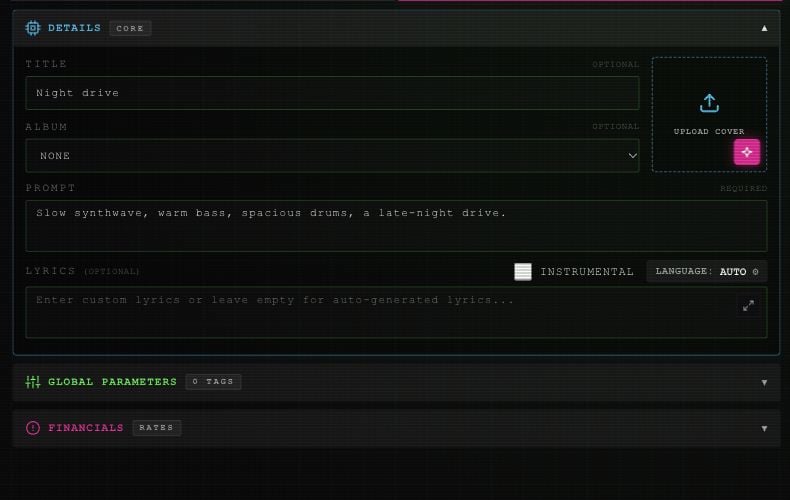
Studio's Details panel with an example brief.