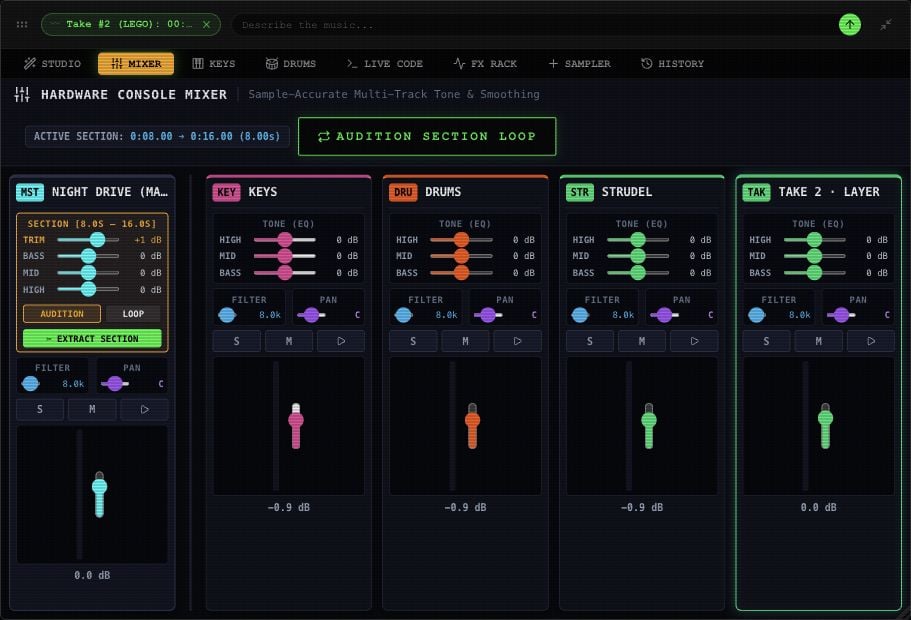
Select a lane and open MIXER. Use its fader for level, PAN for left/right position, and BASS / MID / HIGH for tone. The EQ controls cover −12 to +12 dB. M mutes, S solos, and the lane play icon auditions it alone. You can solo more than one lane; a muted lane stays silent.
Mixer channel controls with faders, pan, mute, solo and tone controls.

Mixer controls in an example Rawchunks project.

Use the FX Rack

Open FX RACK for the selected lane. Each module has ON / OFF. EQ starts on; the other modules start bypassed. Enable a module, then adjust it while listening.
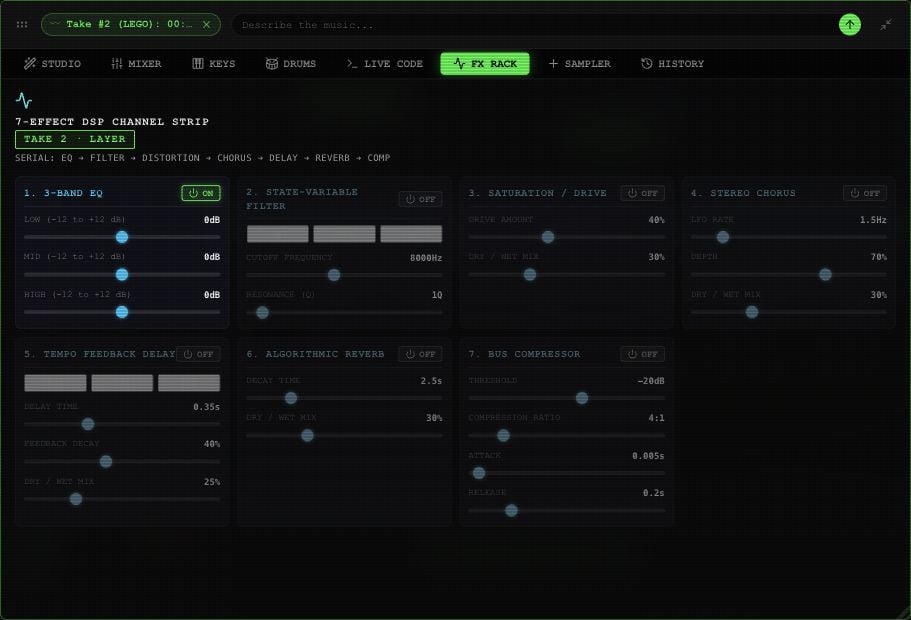
FX Rack showing all seven modules: EQ, filter, drive, chorus, delay, reverb and compressor, with their enable switches.

FX Rack controls and their on/off switches in an example project.

Enable the filter in FX Rack before using the Mixer’s FILTER cutoff. Delay presets labeled 1/8, 1/4, and 1/2 currently use fixed times of 0.25, 0.5, and 1 second; they don’t follow BPM changes.

Master and selected sections

Master’s effects also affect takes mounted on it. Ordinary lanes have their own mixer controls. The Mixer offers a trim control when a Master range is selected. Its section EQ currently changes Master tone across the song. Listen to the whole arrangement after adjusting it. Source extraction doesn’t bake mixer changes or effects. Merging keeps Master with the mounted takes you include.