

Service prices
A new vocal upload is charged separately from its generation. Saving a voice includes its preparation; there is no separate training purchase in the app.
Prices are per request. Don’t assume an unsuccessful request is free or automatically refunded.
Start a session
1
Connect and choose the network
Connect your account and choose the payment network in the header. You need enough USDC on that network for the cap you select.
2
Set the cap and duration
Open SESSION. Choose 5, 25, 0.10. Choose 1 HOUR, 6 HOURS, 24 HOURS, or 7 DAYS.
3
Authorize the session
Select START SESSION and review any approval or account-activation prompts. Wait for the session to become active before submitting paid work.
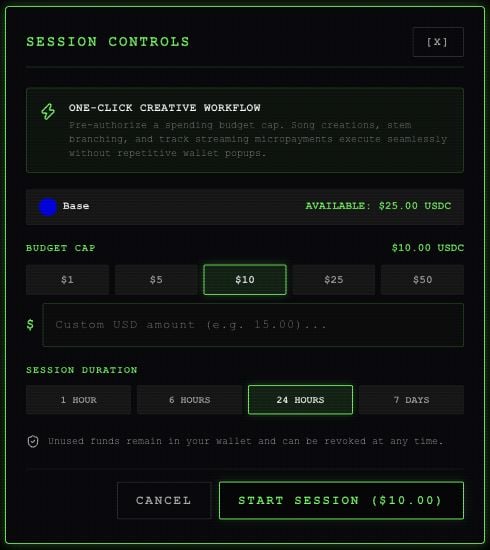
Session setup with an example account and balance.